Road cycling
Show the watts behind the climb
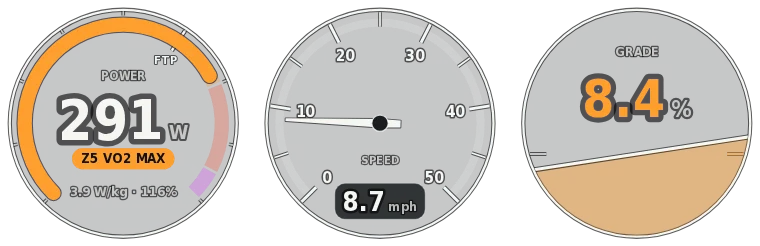
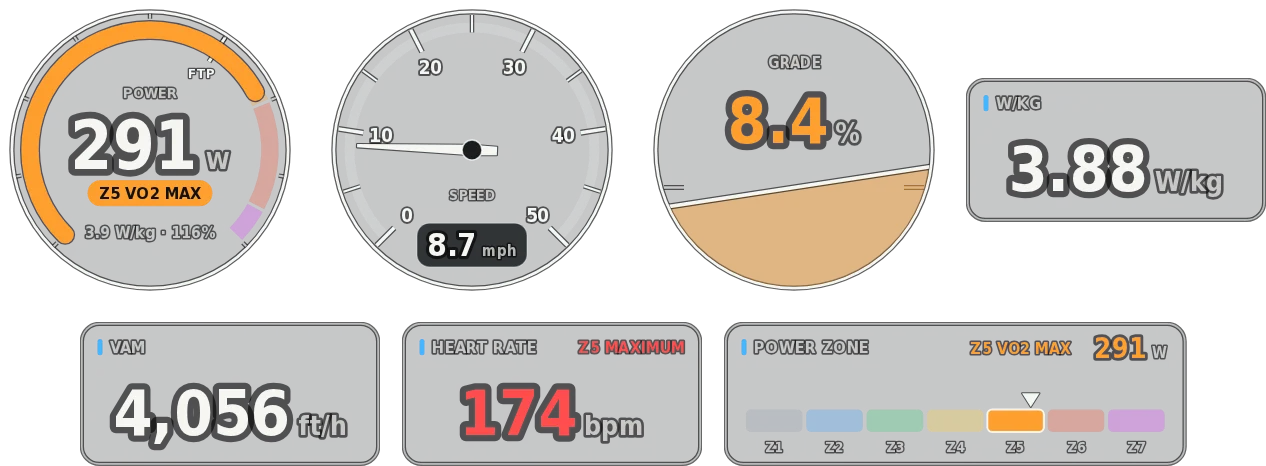
Data Overlay draws a power gauge with W/kg, % of FTP and your zone, next to speed and grade, from your bike computer’s file. Add VAM, heart rate, cadence and power zones for the full story of the climb.
Free trial, then from $19.99 a month, $79.99 a year or $129.99 once. See pricing
Live demo
Try Road Cycling mode right here
This is the real app running in your browser on a sample ride. Turn gauges on and off, drag them around, change units and colours, and scrub through it. Opening your own files and exporting happen in the desktop app.

Sample data only. Works best on a computer. Open the demo full screen
What it shows
Every gauge in Road Cycling mode
Start with the main gauges, add the essentials, or turn on everything. Size, move and colour each one, in imperial or metric units.
Main gauges
- Power gauge
- Speed dial
- Grade
Numbers
- Speed
- Power
- W/kg
- Cadence
- Heart rate
- Elevation
- VAM
- Distance
- Elapsed time
- Temperature
More gauges
- Heart-rate zones
- Power zones
- Mini-map
- Elevation profile
- Cadence dial
- Heart-rate dial
- Power gauge with W/kg, % of FTP and zone.
- Speed dial and grade gauge side by side.
- VAM to show how fast you’re climbing.
- Power and heart-rate zones from your FTP and heart rate.
- Cadence and heart-rate dials, an elevation profile and a mini-map.
Your files
Works with the log you already have
- Garmin Edge FIT
- Wahoo and other bike computers FIT
- Strava GPX or TCX downloads
- Apple Watch through HealthFit, RunGap or WorkOutDoors
Reads FIT, GPX, TCX and CSV
Tip
The FIT file from your bike computer has the most detail: power, speed, heart rate and cadence in one file.
Combine files
Use more than one file at once, for example the ride from your bike computer and heart rate from your watch. Each gauge uses the best file that has its data, and each file gets its own clock offset.
Built for the edit
Made to drop straight into your timeline
- ProRes 4444 · PNG MOV · PNG sequence
Transparent, frame-exact exports
ProRes 4444 with alpha on a Mac, or lossless PNG on either platform. Export at your sequence’s frame rate and the overlay has exactly as many frames as your clip.
- ±0.1 s
Sync to the frame
Nudge each file’s clock in tenths of a second until the gauges match the picture. Files recorded on a local clock are lined up with UTC files for you.
- Best source for each gauge
Combine files
Take GPS from one device and heart rate or power from another. Each gauge uses the best file that has its data, with a clock offset for each file.
- Row · Stacked · Panel · Custom
Arrange it your way
Drag gauges anywhere with snapping guides, size each one, pick colours and units, and undo any change. The export frame fits your arrangement.
- Every CPU core
Fast, even for long days
Exports use every core, so an hour of footage renders in minutes. On Macs with a ProRes engine, encoding runs in hardware.
- Local processing
Your files stay on your computer
Logs and videos are read and rendered on your own machine. Nothing is uploaded.
Try it on your own ride
The free trial is the full app with every sport. Exports are 5 seconds long with a watermark until you buy. From $19.99 a month, $79.99 a year or $129.99 once.